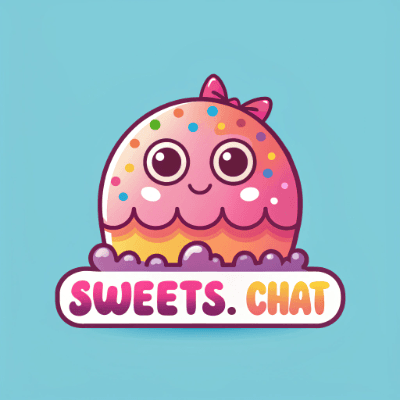

Enhancing Generative AI for Interactive Logo Creation
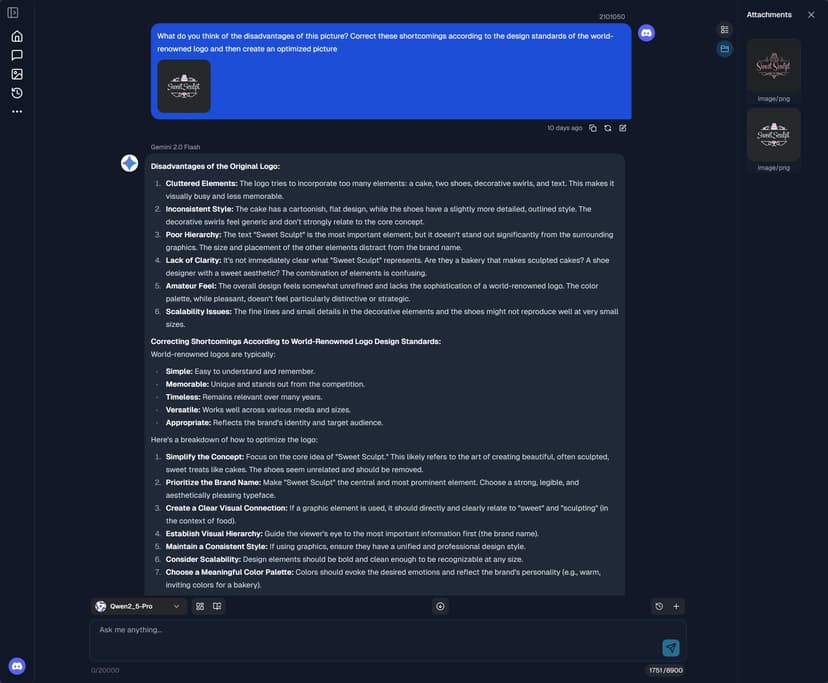
In my recent work, I've refined strategies for using generative AI in the interactive logo design process. By alternating between multiple models, we can leverage the unique strengths of each, fostering creativity, artistry, and productivity.
Problem
Creating logos that are both innovative and visually appealing can be challenging. Designers often struggle to balance creativity with efficiency, especially when relying on a single AI model.
Solution
By integrating multiple AI models, we can enhance the logo creation process. Each model brings its own strengths, allowing for a more dynamic and creative workflow. This approach not only boosts creativity but also streamlines production.
Benefits
- Creativity: Different models offer diverse perspectives, leading to more innovative designs.
- Efficiency: Switching between models can speed up the design process, reducing time spent on revisions.
- Quality: The combination of models ensures a higher quality output, as each model can address different aspects of the design.
Use Case
Imagine a scenario where a designer is tasked with creating a logo for a tech startup. By using one model to generate initial concepts and another to refine the details, the designer can produce a polished and unique logo in less time. [🎨]
Ready to experience this innovative approach? Try it now! [🚀]
In this process, I discovered that each model has its unique strengths. Some excel in generating complex patterns and details, while others are better at color coordination and style consistency. Therefore, when designing logos, I choose the appropriate model based on specific needs to achieve the best results.
Additionally, I introduced the concept of human-machine collaboration. After generating initial designs, I discuss and gather feedback with the design team, combining human creativity and aesthetic judgment to fine-tune and optimize the generated logos. This collaboration not only improves design efficiency but also ensures the artistic and practical value of the final product.
Through this multi-model collaboration and human-machine integration, we can respond more quickly to client needs, providing more personalized and innovative logo design solutions. This method is not only applicable to logo design but also offers new ideas and possibilities for generative AI applications in other creative fields. [💡]undefinedundefined### Expanding the Role of Human Creativity in AI-Driven Design
While generative AI offers remarkable capabilities in logo creation, the human element remains indispensable. Designers bring a deep understanding of brand identity, cultural nuances, and emotional resonance that AI alone cannot replicate. By integrating human insights with AI-generated outputs, we can achieve designs that are not only visually striking but also deeply meaningful.
Collaborative Design Process
-
Initial Concept Generation: Begin with AI to quickly generate a wide array of design concepts. This step leverages AI's ability to explore diverse styles and ideas, providing a rich foundation for further development.
-
Human Evaluation and Selection: Designers review the AI-generated concepts, selecting those that align best with the brand's vision and values. This stage is crucial for ensuring that the designs resonate with the intended audience.
-
Refinement and Customization: Using their expertise, designers refine the selected concepts, adding unique elements and personal touches that reflect the brand's identity. This collaborative effort ensures that the final design is both innovative and authentic.
-
Feedback Loop: Incorporate feedback from stakeholders and potential users to further refine the design. This iterative process allows for continuous improvement and ensures that the final product meets all expectations.
Future Directions
The integration of generative AI and human creativity is just the beginning. As technology advances, we can expect even more sophisticated tools that enhance collaboration. Future developments may include:
-
Real-Time Co-Creation Platforms: Tools that allow designers and AI to work simultaneously, making adjustments in real-time and fostering a more fluid creative process.
-
Enhanced Personalization: AI systems that learn from individual designer preferences and past projects to offer more tailored suggestions and insights.
-
Cross-Disciplinary Collaboration: Expanding the use of generative AI beyond graphic design to include fields like architecture, fashion, and product design, encouraging interdisciplinary innovation.
By embracing these advancements, we can unlock new levels of creativity and efficiency, transforming the landscape of design and setting new standards for what is possible in the creative industry.undefinedundefined## Enhancing Generative AI for Interactive Logo Creation
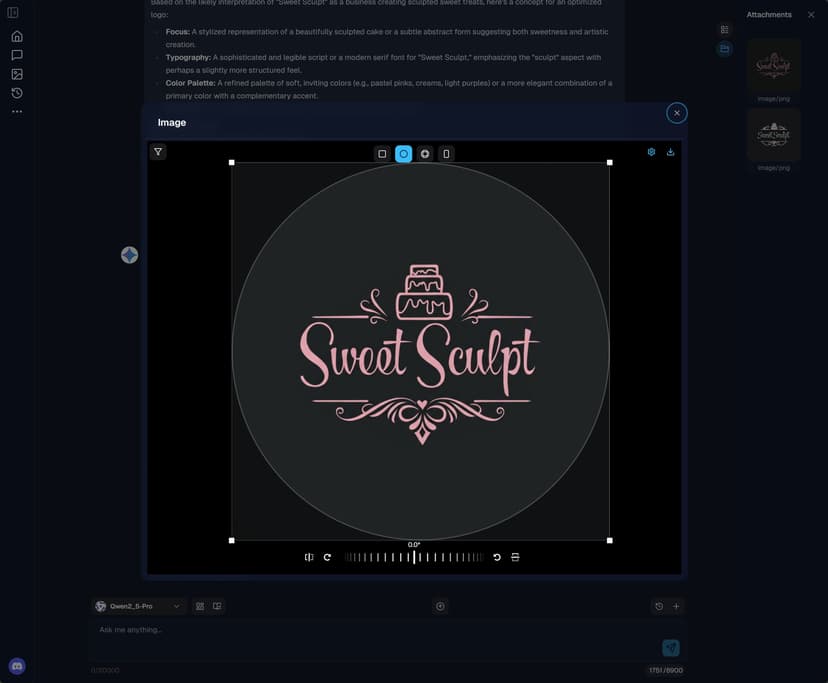
In recent work, I've developed strategies to improve the use of generative AI in the interactive logo design process. By alternating between multiple AI models, we can harness the unique strengths of each, enhancing creativity, artistry, and productivity.
The Challenge
Designing logos that are both innovative and visually appealing is no easy task. Designers often find it difficult to balance creativity with efficiency, especially when relying on a single AI model.
The Solution
Integrating multiple AI models can significantly enhance the logo creation process. Each model has its own strengths, contributing to a more dynamic and creative workflow. This approach not only boosts creativity but also streamlines production.
Key Benefits
- Enhanced Creativity: Different models provide diverse perspectives, leading to more innovative designs.
- Increased Efficiency: Switching between models can accelerate the design process, reducing time spent on revisions.
- Improved Quality: The combination of models ensures a higher quality output, as each model can address different aspects of the design.
Practical Use Case
Consider a designer tasked with creating a logo for a tech startup. By using one model to generate initial concepts and another to refine the details, the designer can produce a polished and unique logo in less time. [🎨]
Ready to experience this innovative approach? Try it now! [🚀]
Human-Machine Collaboration
In this process, I discovered that each model has unique strengths. Some excel in generating complex patterns and details, while others are better at color coordination and style consistency. Therefore, when designing logos, I choose the appropriate model based on specific needs to achieve the best results.
Additionally, I introduced the concept of human-machine collaboration. After generating initial designs, I discuss and gather feedback with the design team, combining human creativity and aesthetic judgment to fine-tune and optimize the generated logos. This collaboration not only improves design efficiency but also ensures the artistic and practical value of the final product.
Expanding the Role of Human Creativity
While generative AI offers remarkable capabilities in logo creation, the human element remains indispensable. Designers bring a deep understanding of brand identity, cultural nuances, and emotional resonance that AI alone cannot replicate. By integrating human insights with AI-generated outputs, we can achieve designs that are not only visually striking but also deeply meaningful.
Collaborative Design Process
-
Initial Concept Generation: Begin with AI to quickly generate a wide array of design concepts. This step leverages AI's ability to explore diverse styles and ideas, providing a rich foundation for further development.
-
Human Evaluation and Selection: Designers review the AI-generated concepts, selecting those that align best with the brand's vision and values. This stage is crucial for ensuring that the designs resonate with the intended audience.
-
Refinement and Customization: Using their expertise, designers refine the selected concepts, adding unique elements and personal touches that reflect the brand's identity. This collaborative effort ensures that the final design is both innovative and authentic.
-
Feedback Loop: Incorporate feedback from stakeholders and potential users to further refine the design. This iterative process allows for continuous improvement and ensures that the final product meets all expectations.
Future Directions
The integration of generative AI and human creativity is just the beginning. As technology advances, we can expect even more sophisticated tools that enhance collaboration. Future developments may include:
-
Real-Time Co-Creation Platforms: Tools that allow designers and AI to work simultaneously, making adjustments in real-time and fostering a more fluid creative process.
-
Enhanced Personalization: AI systems that learn from individual designer preferences and past projects to offer more tailored suggestions and insights.
-
Cross-Disciplinary Collaboration: Expanding the use of generative AI beyond graphic design to include fields like architecture, fashion, and product design, encouraging interdisciplinary innovation.
By embracing these advancements, we can unlock new levels of creativity and efficiency, transforming the landscape of design and setting new standards for what is possible in the creative industry. [💡]undefinedundefined




